In the competitive world of content marketing, visuals play a crucial role in enhancing both user experience and search engine performance. Stock photos, when used strategically, can improve readability, reduce bounce rates, and support your overall SEO efforts. However, simply adding images is not enough—following best practices ensures that your visuals contribute meaningfully to your blog’s success.
Why Stock Photos Matter for SEO
Search engines prioritize user experience, and visuals are a key component of that experience. Well-placed stock photos break up long blocks of text, making content easier to scan and more engaging. This increased readability encourages visitors to stay longer on your page, which can positively impact dwell time and rankings.
Additionally, images provide opportunities for optimization through file names, alt text, and captions. When properly optimized, stock photos can even appear in image search results, driving additional traffic to your site.
Choose Relevant and High-Quality Images
Relevance is essential when selecting stock photos for blog posts. Every image should support the topic and add value to the content. Avoid generic visuals that do not align with your message, as they can confuse readers and weaken your credibility.
High-quality images are equally important. Blurry or poorly composed visuals can harm your brand’s professionalism. Opt for sharp, well-lit photos that enhance the overall presentation of your blog. Many platforms offer Royalty Free images that combine quality with flexibility, allowing you to use them across multiple projects without recurring fees.
Optimize Image File Names and Alt Text
One of the most overlooked SEO practices is optimizing image metadata. Before uploading a stock photo, rename the file using descriptive, keyword-rich terms. For example, instead of “IMG1234.jpg,” use a name like “seo-blog-stock-photos.jpg.”
Alt text is another critical element. It helps search engines understand the content of the image and improves accessibility for users with screen readers. Write clear, concise descriptions that include relevant keywords naturally, without keyword stuffing.
Compress Images for Faster Load Times
Website speed is a major ranking factor, and large image files can slow down your pages significantly. Compressing stock photos without compromising quality ensures faster load times and a smoother user experience.
Use modern formats such as WebP or optimized JPEGs to reduce file size. A fast-loading blog not only ranks better but also keeps visitors engaged, reducing the likelihood of them leaving your site prematurely.
Maintain Visual Consistency
Consistency in visual style helps create a cohesive and professional blog appearance. Choose stock photos that share similar color tones, lighting, and composition. This uniformity strengthens your brand identity and makes your content more visually appealing.
A consistent design also improves user trust. When readers perceive your blog as polished and well-structured, they are more likely to explore additional content and engage with your brand.
Use Images to Support Content Structure
Stock photos should enhance—not distract from—your content. Use them strategically to highlight key sections, illustrate concepts, or provide visual breaks between paragraphs. Placing images near relevant text improves comprehension and keeps readers engaged.
Avoid overloading your blog with too many visuals. Instead, focus on quality and placement to ensure each image serves a clear purpose.
Conclusion
Stock photos are a powerful tool for improving both SEO performance and user engagement. By selecting relevant, high-quality Royalty Free images and optimizing them for search engines, you can enhance your blog’s visibility and effectiveness. When combined with thoughtful placement and consistent styling, stock photos become more than just visual elements—they become strategic assets that support your content’s success.
Finding the perfect image for your project shouldn’t break the bank. That’s where royalty-free images come in – they’re a cost-effective solution that lets creators use high-quality visuals without ongoing fees or complex licensing agreements.
We understand that navigating image licensing can feel overwhelming. A royalty-free image gives you the freedom to use the photo multiple times after making a one-time payment, whether it’s for your blog, social media, or marketing materials. While these images aren’t necessarily free, they’re significantly more affordable than rights-managed alternatives that require separate payments for each use.
Understanding Royalty Free Images and Their Definition
Royalty free images represent a specific licensing model that’s revolutionized how we use and share digital visuals in today’s content-driven world.
What Makes an Image Royalty Free
A royalty free image allows users to pay once and use the image multiple times without additional fees
The license grants broad usage rights across various platforms including websites social media print materials
Most royalty free images come with clear terms that specify allowed uses such as commercial personal or editorial purposes
These images typically include a perpetual license meaning you can use them indefinitely after purchase
The creator maintains copyright ownership while providing flexible usage rights to buyers
Common Misconceptions About Royalty Free Images
Royalty free doesn’t mean completely free – most images still require a one-time purchase
The term “free” refers to freedom from recurring royalty payments not the initial cost
Users can’t resell or distribute royalty free images as their own stock photos
The license isn’t exclusive – multiple customers can purchase and use the same image
Royalty free doesn’t automatically mean copyright free or public domain content
Commercial use isn’t always included – some licenses restrict usage to personal projects only
License Type
Initial Payment
Recurring Fees
Usage Rights
Royalty Free
One-time cost
None
Multiple uses allowed
Rights Managed
Per use
Yes
Limited by time/scope
Public Domain
Free
None
Unrestricted use
Types of Royalty Free Image Licenses
Royalty-free image licenses come in several varieties each offering different usage rights and restrictions. Let’s explore the main types of licenses you’ll encounter when searching for royalty-free images.
Standard Royalty Free Licenses
Standard royalty-free licenses give you basic rights to use images across multiple projects after a one-time payment. These licenses typically allow:
Use in digital media like websites blogs social media posts
Limited print runs for marketing materials up to 500000 copies
Integration in templates or products not meant for resale
Personal and commercial projects with standard restrictions
Extended Royalty Free Licenses
Extended licenses provide broader usage rights for more demanding commercial applications. Key features include:
Unlimited print runs for marketing materials
Use in products for resale like t-shirts mugs calendars
Digital products meant for distribution or sale
Higher resolution files for large-format printing
Multiple-seat licenses for larger organizations
Editorial Use Licenses
Editorial licenses are specifically designed for news-related or informational content:
Usage restricted to news articles educational materials documentaries
No commercial or promotional purposes allowed
Cannot modify alter or manipulate the image
Must include proper attribution and context
Time-sensitive content often related to current events or public figures
Note: Every stock photo platform may have slight variations in their license terms. Always review the specific license agreement before using any royalty-free image in your projects.
FreeImages provides both free and premium photos with clear Creative Commons licensing terms
Google Images’ “Creative Commons licenses” filter helps find reusable images across the web
Benefits of Using Royalty Free Images
Let’s explore why royalty-free images have become the go-to choice for content creators and businesses alike.
Cost-Effective Content Creation
Royalty-free images offer significant cost savings through one-time payments instead of recurring fees. We can use a single purchased image unlimited times across multiple projects without additional charges. This pricing model helps businesses reduce their content creation budget while maintaining access to professional-quality visuals.
Flexible Usage Rights
Royalty-free licenses provide extensive flexibility in how we can use images. We can modify resize or crop images to fit various platforms from websites to social media posts. The same image works for both digital and print materials making it versatile for marketing campaigns presentations and promotional materials.
Legal Protection and Peace of Mind
Using royalty-free images from reputable sources ensures proper licensing and eliminates copyright concerns. We get clear documentation of usage rights protecting us from potential legal issues. Licensed images also come with model releases and property releases when needed giving us confidence in using them for commercial purposes.
Cost Comparison
Royalty Free
Rights Managed
Initial Cost
One-time fee
Per-use fee
Usage Limit
Unlimited
Limited by terms
Time Period
Perpetual
Often time-restricted
Important Considerations When Using Royalty Free Images
While royalty-free images offer convenient licensing options we must pay attention to several crucial factors to ensure proper usage and avoid potential legal issues.
Reading License Terms Carefully
Review every license agreement thoroughly before downloading or purchasing royalty-free images from stock photo platforms
Check specific usage rights including permitted platforms websites blogs or social media channels
Verify whether the license allows image modifications cropping or adding text overlays
Understand the difference between commercial and non-commercial usage permissions
Confirm whether the license is perpetual or has an expiration date
Attribution Requirements
Check if the royalty-free image requires crediting the photographer or source website
Follow proper attribution formats specified in the license agreement
Note that some platforms like Shutterstock don’t require attribution while others like Creative Commons do
Place attribution in visible locations such as image captions footer sections or credit pages
Keep records of attribution requirements for each downloaded image
Usage Restrictions and Limitations
Verify maximum allowed impressions or distribution numbers for printed materials
Confirm geographical restrictions that might limit usage in specific regions
Check restrictions on using images in products for resale like t-shirts mugs or templates
Understand limitations on sensitive topics such as medical legal or financial content
Review specific exclusions for trademark-protected elements within images
Confirm whether the license permits use in logo design or brand identity materials
License Type
Attribution Required
Modifications Allowed
Commercial Use
Standard RF
Usually No
Yes
Limited
Extended RF
No
Yes
Unlimited
Free License
Often Yes
Varies
Varies
Best Practices for Working With Royalty Free Images
While royalty free images offer flexible usage rights it’s essential to follow proper guidelines to protect yourself and respect creators’ rights.
Proper Image Attribution
Always check the specific attribution requirements in your license agreement before using any royalty free image
Include the photographer’s name platform source and license type in your credits when required
Place attribution notes in a visible location such as image captions footer or credits page
Keep the attribution format consistent across all your published content
Add hyperlinks to the original image source when using images in digital media
Documentation and Record Keeping
Save license certificates and purchase receipts for all royalty free images you acquire
Create a spreadsheet tracking image sources license types and usage locations
Screenshot or save the license terms at the time of purchase
Maintain an organized filing system for quick access to image documentation
Set calendar reminders for license renewals if working with time-limited agreements
Image Modification Guidelines
Review modification allowances in your license before editing any royalty free image
Preserve watermarks or embedded copyright information when editing images
Document all modifications made to original images including cropping resizing or color changes
Avoid alterations that could be considered defamatory or misrepresentative
Use professional editing tools to maintain image quality when making modifications
Common Mistakes to Avoid With Royalty Free Images
When working with royalty free images understanding what to avoid is just as important as knowing how to use them properly. Here are the most common pitfalls to watch out for:
Ignoring License Terms
Many users make the costly mistake of skipping over license agreements assuming all royalty free images have the same terms. Each platform and image can have unique restrictions regarding usage limits commercial applications and modification rights. Even within the same platform different licenses may apply to different images. We recommend downloading and saving license documentation for each image to ensure compliance and protect against future disputes.
Assuming All Free Images Are Royalty Free
A common misconception is that any freely downloadable image qualifies as royalty free. Free images from random websites or Google searches often lack proper licensing and could be copyrighted material. True royalty free images come with clear license terms from reputable stock photo platforms. We always verify the source and licensing status before using any “free” image to avoid copyright infringement.
Misusing Editorial Content
Editorial images require special attention as they come with strict usage limitations. These images often feature recognizable people places or events and can only be used for news or educational purposes. Using editorial images for commercial advertising or promotional materials violates the license terms. We recommend carefully checking image classifications and restrictions before incorporating editorial content into any project.
Making the Most of Royalty Free Images in Your Projects
Maximizing the value of royalty free images requires strategic planning and effective management. Here’s how to optimize your use of these versatile assets.
Selecting the Right License Type
Choose standard licenses for basic digital and small-print projects with limited distribution
Opt for extended licenses when creating products for resale or large-scale printing
Review usage limitations for specific industries sectors or sensitive topics
Consider editorial licenses only for news-related content or educational materials
Verify if the license allows image modifications such as cropping resizing or adding text
Budget Planning for Image Purchases
Set monthly or annual budgets based on your projected image needs
Compare subscription plans versus pay-per-image options from stock photo sites
Bundle purchases to take advantage of volume discounts on multiple images
Factor in extended license costs for special commercial projects
Track spending patterns to optimize future image investments
Consider mixing paid and free sources to maximize budget efficiency
Managing Image Assets Effectively
Create organized folders with clear naming conventions for easy retrieval
Maintain detailed records of license information purchase dates and usage rights
Document image modifications and keep original versions
Implement a tagging system to quickly find images by topic or project
Set up reminders for license renewals or usage period expirations
Back up image files and associated documentation regularly
Use digital asset management tools for larger image collections
Conclusion
Understanding royalty-free images opens up a world of creative possibilities for content creators and businesses. We’ve seen how these versatile assets can transform our projects while keeping costs manageable through one-time payments and flexible usage rights.
By choosing the right platform checking license terms and following best practices we can confidently use these images across multiple projects. Whether we’re working on websites social media or marketing materials royalty-free images offer an excellent solution for our visual content needs.
Remember to always review licensing terms maintain proper documentation and choose the appropriate license type for each project. With these guidelines in mind we’ll make the most of royalty-free images while protecting both our interests and creators’ rights.
London’s web design scene stands at the forefront of digital innovation, where creativity meets cutting-edge technology. I’ve observed how the city’s agencies consistently deliver exceptional websites that combine stunning visuals with robust functionality. From education to fintech, London’s web designers have mastered the art of serving diverse industries with tailored solutions.
What sets London web design studios apart is their comprehensive approach to digital presence. Beyond creating beautiful interfaces, they offer complete packages including branding, email marketing, content creation, and social media management. These agencies leverage the latest technological innovations to ensure websites not only look impressive but also deliver outstanding user experiences and competitive advantages for their clients.
The London Web Design Industry Overview
London’s web design industry employs over 17,000 professionals who create digital experiences for global brands. The city’s position as a creative hub attracts diverse talent from around the world, making it a powerhouse in digital innovation.
Current Trends and Market Dynamics
Mobile-first design prioritization with responsive frameworks
Integration of AI-powered chatbots for enhanced user interaction
Implementation of progressive web applications (PWAs)
Motion design elements for enhanced user engagement
Micro-interactions to improve interface usability
Industry Statistics
Values
Web Design Professionals (2019)
17,292
Languages Spoken
300+
Leading Sectors Served
8
What Makes London Web Design Unique
The webdesign london ecosystem stands out through these distinctive characteristics:
Diverse workforce speaking 300+ languages enabling global market reach
Specialization in locally dominant industries:
Fintech solutions
Educational platforms
Healthcare systems
Manufacturing interfaces
Comprehensive service offerings:
Market research
UX design
eCommerce development
Mobile applications
Brand identity creation
Innovation-driven approaches
State-of-the-art design implementations
Focus on conversion optimization
Cultural adaptability in design solutions
Integration of cutting-edge technologies
Key Services Offered by London Design Agencies
London web design agencies provide comprehensive digital solutions tailored to specific business requirements. These services combine technical expertise with creative innovation to deliver measurable results.
Custom Website Development
Custom website development in London focuses on creating unique digital platforms that align with brand objectives. The development process includes:
Architecture planning with scalable database structures
Integration of third-party APIs for enhanced functionality
Custom CMS implementation for seamless content management
Security protocols implementation with SSL certification
Performance optimization for faster loading times
Backend system development for complex functionalities
Touch-optimized navigation systems
Progressive loading for improved mobile speed
Simplified forms with mobile-friendly input fields
Compressed images that maintain quality
Strategic placement of call-to-action buttons
Cross-device compatibility testing
Mobile Design Statistics
Percentage
Mobile Traffic Share
65%
Mobile Conversion Rate
2.3%
Page Load Speed Target
<3 seconds
Mobile Form Completion
45%
Types of Web Design Companies in London
London’s web design landscape features distinct categories of agencies, each offering specialized expertise in digital solutions. These companies range from specialized boutique studios to comprehensive service providers, catering to diverse business needs.
Boutique Design Studios
Boutique design studios in London specialize in crafting bespoke websites with meticulous attention to detail. These studios typically maintain a select client portfolio of 15-20 projects annually, focusing on custom design elements, unique user interfaces & creative branding solutions. Their expertise includes:
Custom WordPress development for small to medium businesses
Hand-coded responsive designs for startups
Interactive portfolio websites for creative professionals
Specialized eCommerce solutions for luxury brands
Targeted microsites for product launches or campaigns
Website design & development
Digital marketing campaigns
Brand identity creation
Search engine optimization
Content management systems
Social media integration
Mobile application development
Analytics & conversion tracking
eCommerce platform development
User experience optimization
Agency Type
Average Project Size
Typical Turnaround Time
Hourly Rate Range
Boutique Studios
£5,000 – £25,000
4-8 weeks
£150 – £175
Full-Service Agencies
£25,000 – £150,000
8-16 weeks
£175 – £199
Cost of Web Design Services in London
London web design services offer diverse pricing options based on project complexity and scope. The average project-based cost ranges between £5,000 and £10,000 for professional website development.
Pricing Models and Packages
London web design agencies operate with three primary pricing structures:
Hourly Rates: Entry-level agencies charge £25-£49 per hour
Project-Based: Fixed prices for complete website development
Retainer Models: Ongoing maintenance and update packages
Value tiers for webdesign London services include:
Service Level
Price Range
Project Timeline
Basic Design
£2,500-£5,000
2-4 weeks
Professional
£5,000-£10,000
4-8 weeks
Enterprise
£10,000+
8+ weeks
Investment Considerations
Key factors affecting web design costs include:
Website Complexity
Number of pages
Custom functionality requirements
E-commerce integration
Technical Features
Content management systems
Third-party integrations
Mobile responsiveness
Design Elements
Custom graphics
Interactive components
Animation effects
Metric
Impact
Poor Design Abandonment
90% of users leave
Mobile Traffic
65% of total visits
Load Speed Target
Under 3 seconds
How to Choose a Web Design Agency in London
Selecting the right web design agency in London requires a systematic evaluation of crucial factors. Here’s a structured approach to finding the ideal agency partner for your digital project.
Evaluating Portfolio and Experience
A thorough portfolio review reveals an agency’s expertise in webdesign London projects. Examine their past work for:
Design versatility across different industries
Technical implementation of modern features
User experience solutions in previous projects
Mobile responsiveness in delivered websites
Loading speed optimization examples
Client success metrics from completed projects
Portfolio Evaluation Metrics
Target Benchmark
Project completion rate
95%
Client retention rate
85%
Mobile responsiveness
100%
Page load speed
< 3 seconds
Understanding Project Process
The project process demonstrates an agency’s organizational capabilities. Key process elements include:
Initial discovery phase with detailed requirements gathering
Clear project milestones with defined deliverables
Regular communication protocols
Quality assurance checkpoints
Development staging environments
Testing procedures across devices
Project Phase
Duration
Discovery
1-2 weeks
Design
2-4 weeks
Development
4-8 weeks
Testing
1-2 weeks
Each agency’s approach to these elements provides insight into their professionalism. Look for documented processes with clear timelines rather than vague promises.
Benefits of Working With London-Based Designers
London’s web design professionals offer strategic advantages that extend beyond technical expertise. The city’s position as a global design hub creates unique opportunities for businesses seeking digital excellence.
Local Market Understanding
London-based designers possess deep insights into the UK’s diverse market dynamics. Their experience with FTSE 100 companies including HSBC, BP, and GlaxoSmithKline provides valuable expertise in creating websites that resonate with British audiences. This local knowledge encompasses:
Comprehensive understanding of UK consumer behaviors
Familiarity with regional compliance requirements
Experience with London’s competitive business landscape
Strategic insights into market-specific user preferences
Creative Excellence and Innovation
The London webdesign ecosystem drives innovation through its diverse talent pool of 17,292 professionals. Key innovative elements include:
Implementation of cutting-edge design trends
Integration of advanced technologies
Development of user-centric interfaces
Creation of multilingual platforms supporting 300+ languages
Metric
Value
Web Design Professionals (2019)
17,292
Languages Supported
300+
FTSE 100 Companies Served
100+
The combination of local expertise and innovative capabilities makes London-based designers particularly effective at creating websites that perform well in both domestic and international markets.
Conclusion
London’s web design industry stands as a beacon of digital excellence combining innovation with practical results. I’ve seen how the city’s unique blend of creative talent and technical expertise continues to shape the digital landscape through cutting-edge solutions.
From boutique studios to full-service agencies the diverse ecosystem offers something for every business need and budget. The focus on mobile-first design AI integration and user experience shows London’s commitment to staying ahead of digital trends.
I believe choosing a London-based web design partner means investing in a future-proof digital presence. With their market understanding technical prowess and creative excellence these agencies are well-equipped to transform your digital vision into reality.
In today’s digital age, visual content plays a crucial role in marketing, design, and communication. We understand the importance of high-quality images, which is why we’re excited to explore Bigstock coupons – a game-changer for businesses and individuals alike.
Bigstock, a leading stock photo marketplace, offers an extensive library of premium images, videos, and illustrations. However, we know that budget constraints can often limit access to these valuable resources. That’s where Bigstock coupons come in, providing an excellent opportunity to stretch your creative budget further and unlock a world of visual possibilities.
Key Takeaways
Bigstock coupons offer significant cost savings on high-quality stock photos, videos, and illustrations for various creative projects.
Users can find Bigstock coupons through the official website, email newsletters, social media, coupon websites, and seasonal sales.
Redeeming a Bigstock coupon is a simple process that involves creating an account, applying the code during checkout, and verifying the discount.
The best times to look for Bigstock coupons include holiday seasons, end of financial quarters, special events, and off-peak seasons.
Alternatives to Bigstock coupons include Shutterstock codes, Adobe Stock free trials, free stock photo websites, and subscription-based services.
What Is Bigstock?
Bigstock is a leading stock photo marketplace that offers an extensive library of high-quality visual content for creative professionals and businesses. As a subsidiary of Shutterstock, Bigstock provides access to millions of royalty-free images, videos, and illustrations.
The platform caters to various industries, including marketing, design, and communication. Bigstock’s vast collection covers diverse subjects, styles, and formats, ensuring users find the perfect visuals for their projects. Whether you’re looking for stunning photographs, eye-catching vectors, or professional-quality videos, Bigstock has you covered.
One of Bigstock’s standout features is its user-friendly interface, making it easy to search, browse, and download content quickly. The platform also offers flexible pricing options, including pay-as-you-go credits and subscription plans, to suit different budgets and usage needs.
For those looking to maximize their creative budget, Bigstock coupons are available, offering discounts on purchases and subscriptions. These coupons provide an excellent opportunity to access premium visual content at reduced prices, helping businesses and individuals stretch their marketing dollars further.
Understanding Bigstock Coupons
Bigstock coupons are promotional offers that provide discounts on Bigstock’s visual content services. These coupons help users access high-quality images, videos, and illustrations at reduced prices, making it easier to enhance their creative projects while staying within budget.
Types of Bigstock Coupons
Bigstock offers various types of coupons to cater to different user needs:
Percentage discounts: Apply a specific percentage off the total purchase price
Fixed amount discounts: Provide a set dollar amount off the order total
Free credit offers: Grant additional credits for use on the platform
Subscription discounts: Reduce the cost of monthly or annual subscription plans
New user promotions: Offer special deals for first-time Bigstock customers
How to Find Bigstock Coupons
We’ve identified several effective methods to discover Bigstock coupons:
Official website: Check Bigstock’s homepage and promotional pages for current offers
Email newsletters: Subscribe to Bigstock’s mailing list for exclusive deals
Social media: Follow Bigstock’s accounts on platforms like Twitter and Facebook
Seasonal sales: Look for special discounts during holidays and major shopping events
Partner promotions: Explore offers through Bigstock’s affiliates and partner companies
By utilizing these strategies, users can consistently find valuable Bigstock coupons to maximize their savings on premium visual content.
Benefits of Using Bigstock Coupons
Bigstock coupons offer numerous advantages for businesses and individuals seeking high-quality visual content. These promotional offers enhance the value of Bigstock’s services, making premium resources more accessible and cost-effective.
Cost Savings
Bigstock coupons provide significant financial benefits to users. By applying these promotional codes, we can:
Reduce the overall cost of subscriptions or pay-as-you-go credits
Maximize our creative budget, allowing for more extensive use of premium assets
Allocate saved funds to other aspects of our projects or marketing efforts
Take advantage of limited-time offers to secure substantial discounts on bulk purchases
Access to Premium Content
Bigstock coupons unlock enhanced access to premium visual content. With these promotional offers, we gain:
Opportunity to explore a wider range of high-quality images, videos, and illustrations
Ability to download more assets within our budget constraints
Access to exclusive collections or newly added content at discounted rates
Flexibility to experiment with various visual styles and formats without overspending
By utilizing Bigstock coupons, we can elevate the quality of our projects while maintaining cost efficiency. These benefits make Bigstock coupons an invaluable tool for businesses and individuals looking to enhance their visual content strategy.
How to Redeem a Bigstock Coupon
Redeeming a Bigstock coupon is a straightforward process that allows users to access premium visual content at discounted rates. Here’s a step-by-step guide to help you make the most of your Bigstock coupon:
Create an account:
Visit the Bigstock website
Click on the “Sign Up” button
Fill in the required information to create your account
Find a coupon:
Locate a valid Bigstock coupon from reliable sources
Ensure the coupon code hasn’t expired
Choose your content:
Browse Bigstock’s extensive library
Select the images, videos, or illustrations you want to purchase
Apply the coupon:
During checkout, look for the “Promo Code” or “Coupon Code” field
Enter your Bigstock coupon code in this field
Click “Apply” to validate the code
Verify the discount:
Check that the discount has been applied to your order
Confirm the new total reflects the coupon’s value
Complete the purchase:
Review your order details
Provide payment information
Finalize the transaction
By following these steps, you’ll successfully redeem your Bigstock coupon and enjoy savings on high-quality visual content for your projects. Remember to use your coupon before its expiration date to maximize its value.
Best Times to Look for Bigstock Coupons
Timing plays a crucial role in finding the best Bigstock Coupons. We’ve identified key periods when you’re more likely to come across valuable discounts:
Holiday seasons:
Black Friday and Cyber Monday
Christmas and New Year
Valentine’s Day
Independence Day
End of financial quarters:
March
June
September
December
Special events:
Bigstock’s anniversary
Industry-specific conferences
Photography or design-related holidays
New user promotions:
First-time sign-ups often receive exclusive discounts
Free trial periods for new accounts
Competitor launches:
When Adobe Stock free trial or Shutterstock Coupon Code promotions are active
During the release of new graphic AI tools
Off-peak seasons:
January and February (post-holiday lull)
August (before back-to-school rush)
Newsletter subscription:
Immediately after signing up for Bigstock’s email list
During subscriber-only flash sales
Social media events:
Facebook or Instagram live events
Twitter chats or hashtag campaigns
By keeping these time frames in mind, you’ll increase your chances of finding substantial Bigstock Coupons. Set reminders for these periods to ensure you don’t miss out on potential savings for your visual content needs.
Alternatives to Bigstock Coupons
While Bigstock coupons offer excellent value, we recognize that exploring alternative options can provide additional flexibility and savings for your visual content needs. Here are some alternatives to consider:
Shutterstock Coupon Codes
Shutterstock, Bigstock’s parent company, often provides coupon codes for its vast library of high-quality images, videos, and illustrations. These codes can offer substantial discounts on subscription plans or image packs.
Adobe Stock Free Trial
Adobe Stock offers a free trial period, allowing users to explore their extensive collection of premium assets without immediate cost. This trial can be an excellent way to access high-quality visual content while evaluating the service.
Free Stock Photo Websites
Several websites offer free stock photos and illustrations, including:
Unsplash
Pexels
Pixabay
These platforms provide a wide range of high-quality images without the need for coupons or subscriptions.
Graphic AI Tools
AI-powered design tools like Canva or Midjourney offer alternatives to traditional stock photo services. These platforms allow users to create custom graphics or generate AI-assisted images, potentially reducing the need for pre-made stock photos.
Subscription-Based Services
Consider platforms like Envato Elements or iStock, which offer unlimited downloads for a flat monthly fee. This model can be cost-effective for users who require a high volume of visual content.
Photographer Marketplaces
Websites like 500px and EyeEm connect users directly with photographers, often offering competitive pricing and unique, high-quality images.
Creative Commons Content
Websites like Flickr and Wikimedia Commons host images available under Creative Commons licenses, which can be used for free with proper attribution.
By exploring these alternatives alongside Bigstock coupons, we can maximize our options for accessing high-quality visual content while optimizing our budget and creative resources.
Conclusion
Bigstock coupons offer a valuable opportunity to access premium visual content while optimizing budgets. We’ve explored the various types of coupons available their benefits and how to find and redeem them effectively. By leveraging these promotional offers users can enhance their projects with high-quality images videos and illustrations without breaking the bank. Remember to keep an eye out for the best times to snag great deals and consider alternative options to further maximize your creative resources. With these strategies in mind you’ll be well-equipped to elevate your visual content game while maintaining cost efficiency.
In the world of digital media, high-quality visuals are essential for creating impactful content. Shutterstock, a leading provider of stock photos, vectors, and illustrations, offers a vast library of premium assets. However, the cost of these resources can add up quickly for content creators and businesses.
That’s where Shutterstock coupon codes come in. These valuable discounts can significantly reduce the cost of purchasing stunning visuals for your projects. We’ll explore how to find and use these coupons effectively, ensuring you get the best value for your investment in visual content.
Key Takeaways
Shutterstock coupon codes offer significant discounts on high-quality stock photos, videos, and audio files
Various types of coupons are available, including percentage-off discounts, flat-rate reductions, and free image offers
Coupon codes can be found on Shutterstock’s official website, third-party coupon sites, and social media platforms
Applying a coupon code is a simple process during checkout, but users should verify terms and conditions
Maximizing savings involves timing purchases, comparing plans, and exploring alternatives like Adobe Stock or Bigstock
What Is Shutterstock?
Shutterstock is a leading global provider of high-quality digital content, offering a vast library of stock photos, vectors, illustrations, videos, and music tracks. Founded in 2003, it’s become one of the most popular platforms for creative professionals, marketers, and businesses seeking premium visual assets for their projects.
With over 400 million images and growing, Shutterstock’s collection caters to diverse needs across industries. The platform’s user-friendly interface allows easy searching, filtering, and downloading of content. It’s designed to streamline the creative process for professionals working on various projects, from marketing campaigns to web design.
Shutterstock’s licensing model offers flexibility, with options ranging from single image purchases to subscription plans. This variety accommodates different budgets and usage requirements. While Shutterstock’s pricing can be premium, savvy users often seek Shutterstock coupon codes to access substantial discounts on their purchases or subscriptions.
The platform’s commitment to quality is evident in its rigorous content curation process. Contributors undergo a thorough vetting process, ensuring that only top-tier content makes it to the marketplace. This commitment to excellence has positioned Shutterstock as a go-to resource for businesses and individuals seeking professional-grade visual assets.
Understanding Shutterstock Coupon Codes
Shutterstock coupon codes offer valuable discounts on the platform’s vast collection of visual content. These codes help users maximize their budget while accessing high-quality images, videos, and audio files.
Types of Shutterstock Coupon Codes
Shutterstock offers various coupon code types to cater to different user needs. These include percentage-off discounts, flat-rate reductions, and free image offers. Some codes apply to single image purchases, while others provide savings on subscription plans. Coupon codes may target new customers with introductory offers or reward existing users with loyalty discounts. Special promotions often coincide with holidays or seasonal events, offering time-limited savings opportunities.
Where to Find Shutterstock Coupon Codes
We’ve identified several reliable sources for finding Shutterstock coupon codes. The official Shutterstock website regularly features promotions on its homepage and special offers page. Subscribing to Shutterstock’s newsletter ensures you receive exclusive deals directly in your inbox. Third-party coupon websites and deal aggregators often list current Shutterstock promo codes. Social media platforms, particularly Shutterstock’s official accounts on Facebook, Twitter, and Instagram, frequently share limited-time offers. Additionally, partnering websites and affiliates may provide unique Shutterstock coupon codes to their audience.
Benefits of Using Shutterstock Coupon Codes
Utilizing Shutterstock coupon codes offers numerous advantages for content creators and businesses seeking high-quality visual assets. These codes provide a cost-effective way to access Shutterstock’s vast library of images, videos, and music tracks.
Cost Savings
Shutterstock coupon codes significantly reduce expenses for visual content purchases. Users can save up to 25% on subscription plans or receive discounts on individual image downloads. For instance, a Shutterstock Coupon Code might offer $50 off a monthly subscription, allowing users to allocate their budget more efficiently. These savings are particularly beneficial for small businesses and freelancers working with limited resources.
Access to Premium Content
Coupon codes often unlock access to premium content that might otherwise be cost-prohibitive. With discounts applied, users can explore Shutterstock’s extensive collection of high-resolution images, 4K videos, and exclusive collections without breaking the bank. This access enables creators to elevate their projects with top-tier visuals, enhancing the overall quality of their work. Additionally, some promotional offers include bonus downloads or extended licenses, further expanding the value of each purchase.
How to Apply a Shutterstock Coupon Code
Applying a Shutterstock coupon code is a straightforward process that can lead to significant savings on your visual content purchases. Here’s a step-by-step guide to help you redeem your Shutterstock coupon code:
Select your content:
Browse Shutterstock’s vast library
Choose the images, videos, or audio files you want to purchase
Add them to your cart or select your desired subscription plan
Access the checkout page:
Click on the shopping cart icon
Review your selected items or subscription plan
Proceed to the checkout page
Locate the coupon code field:
Look for a text box labeled “Promo Code” or “Coupon Code”
This field is typically found on the payment details page
Enter the Shutterstock coupon code:
Copy the code from your source (e.g., email, coupon website)
Paste or type the code into the designated field
Ensure there are no extra spaces before or after the code
Apply the code:
Click the “Apply” or “Redeem” button next to the coupon code field
Wait for the page to refresh and display the updated total
Verify the discount:
Check that the discount has been applied to your order
Confirm the new total reflects the expected savings
Complete your purchase:
Enter your payment information
Review your order details one last time
Click “Complete Purchase” or “Place Order” to finalize the transaction
Remember, Shutterstock coupon codes have specific terms and conditions. Some codes may only apply to certain subscription plans or have minimum purchase requirements. Always read the fine print to ensure you’re eligible for the discount before applying the code.
By following these steps, you’ll successfully apply your Shutterstock coupon code and enjoy the benefits of discounted high-quality visual content for your creative projects.
Top Tips for Maximizing Your Shutterstock Savings
Timing Your Purchases
We’ve found that timing is crucial when it comes to maximizing Shutterstock savings. Major holidays and special events often bring substantial discounts. Black Friday, Cyber Monday, and New Year’s typically offer some of the best Shutterstock Coupon Code deals. By planning your purchases around these periods, you’ll likely secure bigger discounts on subscriptions or image packs.
Comparing Plans
Shutterstock offers various subscription plans and image packs. We recommend carefully comparing these options to find the best fit for your needs. Sometimes, a higher-tier plan with a coupon code applied can be more cost-effective than a lower-tier plan without a discount. Always calculate the per-image cost to ensure you’re getting the best value.
Stacking Discounts
While it’s not always possible, look for opportunities to stack discounts. Some Shutterstock Coupon Codes can be combined with ongoing promotions or loyalty discounts. This strategy can lead to significant savings, especially on larger purchases or long-term subscriptions.
Exploring Alternative Options
It’s wise to explore other stock image platforms alongside Shutterstock. Competitors like Adobe Stock offer free trials, which can be a great way to supplement your Shutterstock purchases. Similarly, Bigstock Coupons might provide additional savings opportunities. By diversifying your sources, you’ll maximize your overall savings on visual content.
Leveraging Free Resources
Shutterstock occasionally offers free weekly images or videos. We suggest taking advantage of these offers to build a library of high-quality content without spending. This approach can help stretch your budget further when combined with strategic use of Shutterstock Coupon Codes.
Monitoring Social Media
Follow Shutterstock’s social media accounts closely. They often announce flash sales, limited-time offers, and exclusive coupon codes on platforms like Twitter, Facebook, and Instagram. Being among the first to know about these deals can lead to substantial savings on your visual content needs.
Alternatives to Shutterstock Coupon Codes
While Shutterstock coupon codes offer excellent savings opportunities, exploring alternative options can further optimize your visual content budget. We’ve compiled a list of alternatives that provide comparable quality and value:
Adobe Stock Free Trial
Adobe Stock, a formidable competitor to Shutterstock, offers a free trial period for new users. This trial typically includes:
Access to millions of high-quality images, vectors, and videos
A set number of free downloads (usually 10) during the trial period
Integration with Adobe Creative Cloud applications
The Adobe Stock free trial allows users to test the platform’s extensive library and user-friendly interface before committing to a subscription.
Bigstock Coupon
Bigstock, a subsidiary of Shutterstock, provides a more budget-friendly option for stock imagery. Bigstock coupons often include:
Discounts on subscription plans
Reduced prices on image packs
Special offers for new customers
By utilizing Bigstock coupons, users can access a vast collection of stock photos and vectors at competitive prices, making it an attractive alternative for cost-conscious creators.
Exploring Other Stock Image Platforms
Several other stock image platforms offer competitive pricing and unique features:
iStock: Known for its curated collections and exclusive content
Depositphotos: Offers flexible pricing options and a vast library
123RF: Provides a wide range of Asian-centric content
Dreamstime: Features a community-driven platform with both free and premium options
These platforms often have their own coupon codes and promotional offers, providing additional opportunities for savings.
Leveraging AI-Generated Graphics
The emergence of graphic AI tools presents a cost-effective alternative to traditional stock imagery:
DALL-E 2: Creates unique images from text descriptions
While these AI tools may not replace stock photography entirely, they provide an innovative and often more affordable option for creating custom visuals.
By exploring these alternatives alongside Shutterstock coupon codes, content creators and businesses can diversify their visual resources and potentially reduce costs without compromising on quality.
Conclusion
Shutterstock coupon codes offer a valuable opportunity to access high-quality visual content at reduced prices. We’ve explored how to find, apply, and maximize these discounts while also considering alternative platforms and resources. By leveraging these strategies, content creators and businesses can significantly enhance their visual projects without breaking the bank. Remember to stay proactive in your search for deals and always consider the long-term value of your visual content investments.
Are you looking to enhance your creative projects with high-quality visuals? Adobe Stock’s free trial might be just what you need. We’ll explore how this powerful resource can elevate your designs and help you find the perfect images, videos, and illustrations for your work.
With millions of assets at your fingertips, Adobe Stock offers a vast library of content for creators of all kinds. Whether you’re a graphic designer, marketer, or content creator, we’ll show you how to make the most of your free trial period. Discover the benefits of Adobe Stock and learn how it seamlessly integrates with other Adobe Creative Cloud applications to streamline your workflow.
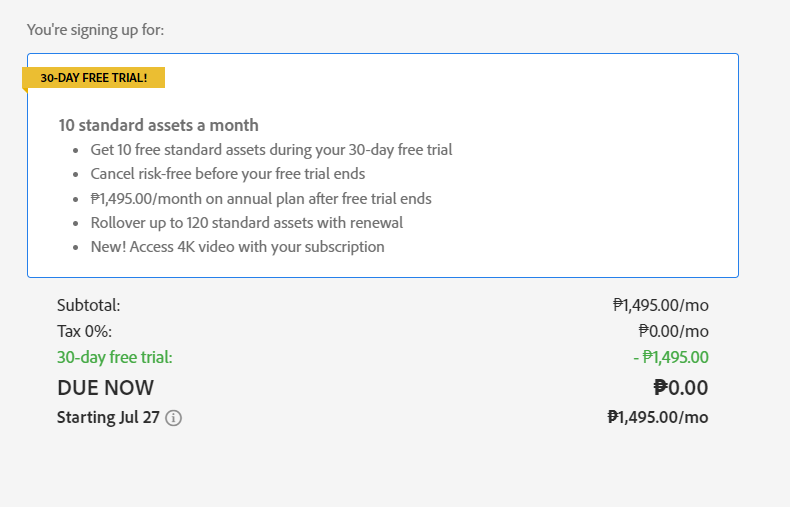
The trial allows users to download up to 10 standard assets at no cost, with full commercial rights
Adobe Stock seamlessly integrates with other Creative Cloud applications, streamlining workflow for designers and marketers
Advanced search features, including AI-powered tools, help users quickly find the perfect assets for their projects
After the trial, users can choose from flexible subscription plans or on-demand purchases to continue accessing Adobe Stock’s vast library
What Is Adobe Stock?
Adobe Stock is a comprehensive digital asset platform offering millions of high-quality, royalty-free images, videos, templates, and illustrations. It’s an integral part of Adobe’s Creative Cloud suite, designed to meet the visual needs of creative professionals, marketers, and businesses.
We’ve found that Adobe Stock seamlessly integrates with other Adobe applications, allowing users to:
Browse and license assets directly within Creative Cloud apps
Access a vast library of over 200 million assets
Utilize AI-powered search features for efficient asset discovery
Preview watermarked images in projects before purchasing
Adobe Stock’s content is sourced from a global community of contributors, ensuring diversity and freshness in the available assets. The platform caters to various creative needs, including:
Stock photography for websites and marketing materials
Vector illustrations for graphic design projects
Video footage for multimedia productions
3D models and templates for advanced design work
For those interested in exploring Adobe Stock’s offerings, the adobe stock free trial provides an excellent opportunity to experience its features and extensive library firsthand. This trial allows users to download and use a limited number of assets without commitment, making it easier to assess the platform’s value for their creative projects.
Benefits of Adobe Stock for Creatives
Adobe Stock offers numerous advantages for creative professionals, enhancing their workflow and expanding their creative possibilities. Let’s explore the key benefits that make Adobe Stock an invaluable resource for designers, marketers, and content creators.
Vast Library of High-Quality Assets
Adobe Stock’s extensive collection of assets is a game-changer for creatives. With over 200 million royalty-free assets, including stock photos, vector illustrations, video footage, and 3D models, the platform caters to diverse creative needs. The adobe stock free trial allows users to explore this vast library, giving them a taste of the platform’s potential. Creatives can access a wide range of high-quality visuals to enhance their projects, saving time and effort in creating assets from scratch.
Seamless Integration with Adobe Creative Cloud
One of Adobe Stock’s standout features is its seamless integration with other Adobe Creative Cloud applications. This integration streamlines the creative process, allowing users to browse, preview, and license assets directly within their preferred Adobe software. For example, designers can search for and insert stock images into their Photoshop projects without leaving the application. This tight integration eliminates the need for constant app-switching, significantly improving workflow efficiency and productivity for creative professionals.
Understanding the Adobe Stock Free Trial
Adobe Stock’s free trial offers creatives a chance to explore its vast library of high-quality assets. We’ll delve into the specifics of this trial, including its duration, limitations, and the sign-up process.
Duration and Limitations
The Adobe Stock free trial typically lasts for 30 days, giving users ample time to explore the platform’s offerings. During this period, users can download up to 10 standard assets, including images, vectors, and illustrations, at no cost. It’s important to note that premium content, such as 4K videos and premium collections, are not included in the free trial. Users have full commercial rights to use the downloaded assets in their projects, even after the trial period ends.
How to Sign Up for the Free Trial
Signing up for the Adobe Stock free trial is a straightforward process:
Visit the Adobe Stock website
Click on the “Start free trial” button
Create an Adobe account or sign in to an existing one
Provide payment information (credit card required, but not charged during the trial)
Agree to the terms and conditions
Start exploring and downloading assets
After completing these steps, users gain immediate access to the Adobe Stock library. It’s crucial to remember that the trial automatically converts to a paid subscription at the end of the 30-day period unless canceled. We recommend setting a reminder to review the trial experience before it expires, ensuring you make an informed decision about continuing with a paid plan.
Exploring Adobe Stock’s Features During the Trial
During the Adobe Stock free trial, users can explore a range of powerful features designed to enhance their creative workflow. We’ll delve into the key functionalities that make Adobe Stock a valuable resource for creative professionals.
Searching and Filtering Assets
Adobe Stock’s search and filter capabilities streamline the process of finding the perfect assets for your projects. We’ve found that the platform’s AI-powered search engine delivers accurate results based on keywords, colors, and visual similarities. Users can refine their searches using various filters, including:
Asset type (photos, vectors, videos, templates)
Orientation (landscape, portrait, square)
Color palette
Number of people
Age range
Ethnicity
Gender
These advanced filtering options help users quickly narrow down their search results, saving time and effort in locating the ideal assets for their creative needs.
Downloading and Using Stock Content
Once you’ve found the perfect asset during your Adobe Stock free trial, downloading and using it in your projects is a breeze. We’ve observed that the platform offers a seamless integration with other Adobe Creative Cloud applications, allowing users to:
Preview watermarked versions of assets directly in their projects
License and download high-resolution files with a single click
Access downloaded assets across all Creative Cloud apps
Automatically replace watermarked previews with licensed versions
It’s important to note that during the free trial, users can typically download up to 10 standard assets at no cost. These assets come with full commercial rights, even after the trial period ends, providing flexibility for various creative projects.
Pricing Options After the Free Trial
After the Adobe Stock free trial ends, users have multiple options to continue accessing the platform’s extensive library of assets. We’ll explore the available subscription plans and on-demand purchase options to help you choose the best fit for your creative needs.
Subscription Plans
Adobe Stock offers various subscription plans tailored to different usage levels and budgets. These plans provide a cost-effective solution for regular users who require a steady stream of assets for their projects. Here are the key features of Adobe Stock subscription plans:
Monthly and annual options available
Tiered pricing based on the number of assets included
Access to standard assets, with some plans including premium content
Rollover of unused licenses to the next month (up to a specified limit)
Integration with Creative Cloud apps for seamless workflow
On-Demand Purchases
For users who don’t require regular access to Adobe Stock or have sporadic asset needs, on-demand purchases offer flexibility. This option allows you to buy assets individually without committing to a subscription. Key aspects of on-demand purchases include:
Pay-as-you-go model for one-time asset acquisitions
No recurring fees or long-term commitments
Access to both standard and premium content
Volume discounts available for bulk purchases
Perpetual, royalty-free licenses for purchased assets
By offering both subscription plans and on-demand purchases, Adobe Stock caters to a wide range of users, from occasional creators to high-volume professionals. This flexibility ensures that you can continue to access high-quality assets after your Adobe Stock free trial, regardless of your usage patterns or budget constraints.
Making the Most of Your Adobe Stock Free Trial
To maximize the value of your Adobe Stock free trial, it’s essential to explore its features efficiently and integrate them into your creative workflow. Here’s how to make the most of your trial period:
Tips for Efficient Asset Discovery
Adobe Stock’s powerful search and filtering capabilities are key to finding the perfect assets for your projects. We recommend using these strategies to streamline your search:
Utilize specific keywords and phrases to narrow down results
Experiment with Adobe Stock’s AI-powered visual search by uploading similar images
Apply advanced filters such as asset type, orientation, and color palette
Save your favorite search criteria for quick access in future sessions
Explore curated collections and trending topics for inspiration
Use the “Similar” feature to find related assets quickly
By mastering these search techniques, you’ll efficiently navigate Adobe Stock’s vast library during your free trial period.
Leveraging Adobe Stock in Your Projects
Integrating Adobe Stock assets into your creative workflow can significantly enhance your projects. Here are some ways to effectively use Adobe Stock during your free trial:
Preview watermarked images directly in your Adobe Creative Cloud apps before licensing
Experiment with different assets to find the perfect fit for your project
Use Adobe Stock’s integration features to streamline your workflow
Combine multiple assets to create unique compositions
Explore different asset types, such as vectors and templates, to diversify your projects
Take advantage of Adobe Stock’s royalty-free licensing to use assets across multiple projects
By incorporating these strategies, you’ll maximize the value of your Adobe Stock free trial and enhance your creative output.
Alternatives to Adobe Stock
While Adobe Stock offers a comprehensive library of high-quality assets, there are several alternatives worth considering for creative professionals seeking diverse options. These platforms provide similar services and may offer unique features or pricing structures that better suit specific needs.
Shutterstock
Shutterstock is a popular alternative to Adobe Stock, boasting a vast collection of images, videos, and music tracks. It offers:
These alternatives provide a range of options for creators seeking stock assets beyond Adobe Stock. By exploring these platforms, users can find the best fit for their specific needs, budget, and creative vision.
Conclusion
Adobe Stock’s free trial offers a valuable opportunity to explore its vast library of high-quality assets. We’ve highlighted its seamless integration with Creative Cloud apps and powerful search capabilities. The trial provides a risk-free way to experience Adobe Stock’s benefits firsthand. Whether you choose to continue with a subscription or explore alternatives we’ve mentioned it’s clear that stock assets play a crucial role in modern creative workflows. We encourage you to take advantage of this trial to enhance your projects and streamline your creative process.
Artificial intelligence has revolutionized countless industries, and the graphic design world is no exception. Graphic AI is rapidly transforming the way we create, edit, and manipulate visual content. From generating unique images to enhancing existing designs, this cutting-edge technology is reshaping the creative landscape.
We’re witnessing a paradigm shift in the graphic design industry as AI-powered tools become more sophisticated and accessible. These innovations are empowering both professionals and novices alike, streamlining workflows and pushing the boundaries of what’s possible in visual communication. As we delve into the world of graphic AI, we’ll explore its current capabilities, potential applications, and the exciting future that lies ahead.
Key Takeaways
Graphic AI revolutionizes visual content creation, offering tools for automated image generation, style transfer, and layout optimization
AI-powered platforms like Adobe Sensei, DALL-E 2, and Midjourney are transforming the graphic design industry with advanced capabilities
Benefits of graphic AI include increased efficiency, enhanced creativity, improved accessibility, and data-driven design decisions
Challenges persist, including ethical concerns, copyright issues, and limitations in contextual understanding and fine detail rendering
The future of graphic AI promises seamless workflow integration, advanced personalization, and democratization of design tools
Ethical considerations such as data privacy, attribution, and bias mitigation are crucial for responsible development of graphic AI technologies
What Is Graphic AI?
Graphic AI refers to artificial intelligence systems designed specifically for visual content creation and manipulation. These advanced algorithms leverage machine learning techniques to automate and enhance various aspects of graphic design processes. Graphic AI tools analyze vast datasets of images, illustrations, and designs to understand visual patterns, styles, and compositions.
Key features of graphic AI include:
Automated image generation: Creating original visuals based on text descriptions or prompts
Style transfer: Applying artistic styles to existing images or graphics
Image editing: Enhancing, retouching, or altering photos with AI-powered tools
Layout optimization: Suggesting optimal arrangements for design elements
Color palette generation: Recommending harmonious color schemes for projects
Graphic AI has revolutionized the design industry by making sophisticated tools accessible to both professionals and beginners. It’s transforming workflows in various sectors, including marketing, advertising, and e-commerce. While platforms like Adobe Stock offer AI-powered features, graphic AI extends beyond stock image services to provide comprehensive design assistance.
By combining human creativity with AI capabilities, designers can streamline their processes, explore new creative possibilities, and produce high-quality visual content more efficiently. As graphic AI continues to evolve, it’s poised to play an increasingly significant role in shaping the future of visual communication and design.
The Evolution of Graphic AI Technology
Graphic AI technology has undergone significant advancements since its inception. We’ve witnessed a rapid transformation in the capabilities and applications of AI-driven graphic design tools, revolutionizing the industry.
Early Developments
The foundations of graphic AI were laid in the early 2000s with basic image recognition and manipulation algorithms. These initial systems focused on simple tasks like color correction and image resizing. As computing power increased, more complex operations became possible, including automated photo editing and basic style transfer techniques. Early graphic AI tools were primarily used by professionals in specialized fields, such as medical imaging and satellite imagery analysis.
Current State of Graphic AI
Today’s graphic AI has evolved into sophisticated systems capable of generating and manipulating complex visual content. Advanced machine learning algorithms now power tools that can create realistic images from text descriptions, seamlessly remove objects from photos, and even design entire layouts. Popular platforms like Adobe Stock offer AI-powered search and editing features, making it easier for designers to find and customize assets. The accessibility of these tools has democratized graphic design, allowing both professionals and amateurs to create high-quality visual content with unprecedented ease and efficiency.
Key Applications of Graphic AI
Graphic AI has revolutionized various aspects of visual content creation and manipulation. We’ll explore its key applications across different domains, highlighting how this technology is transforming creative processes and outputs.
Graphic Design and Illustration
Graphic AI tools enhance design workflows, enabling faster and more efficient creation of visual assets. These systems generate unique illustrations, logos, and layouts based on user input or predefined styles. AI-powered platforms analyze design principles and trends to suggest improvements, color palettes, and font pairings. For example, Adobe Stock integrates AI capabilities, offering designers access to vast libraries of AI-generated images and illustrations during their free trial period.
Image Editing and Enhancement
AI-driven image editing tools streamline photo manipulation tasks. These applications automate complex processes like background removal, object detection, and image upscaling. Advanced algorithms analyze image composition and lighting to suggest enhancements, apply filters, and adjust colors. Platforms like Shutterstock leverage AI to offer intelligent editing features, accessible through their coupon code promotions, enabling users to refine and transform images with minimal manual input.
3D Modeling and Animation
Graphic AI accelerates 3D modeling and animation workflows. AI algorithms generate realistic textures, create complex 3D models from 2D sketches, and automate rigging processes for character animation. These tools analyze motion capture data to produce lifelike movements and facial expressions. AI-powered rendering engines optimize scene lighting and materials, significantly reducing production time for 3D artists and animators.
Top Graphic AI Tools and Platforms
The graphic AI landscape offers a diverse array of powerful tools and platforms that cater to various design needs. These innovative solutions leverage artificial intelligence to streamline workflows and enhance creative possibilities for designers and content creators alike.
Adobe Sensei
Adobe Sensei represents the cutting edge of graphic AI technology, seamlessly integrated into Adobe’s suite of creative applications. This AI-powered platform enhances numerous aspects of the design process:
Smart layout suggestions: Generates layout options based on content and design preferences
Content-aware fill: Intelligently fills in removed areas of images with matching content
Font matching: Identifies fonts in images and suggests similar options from the Adobe Fonts library
Adobe Stock, powered by Sensei, offers an extensive library of AI-enhanced assets. Users can take advantage of the adobe stock free trial to explore these AI-driven features firsthand.
DALL-E 2
DALL-E 2 stands out as a revolutionary text-to-image generation tool, capable of creating highly realistic and imaginative visuals from textual descriptions. Key features include:
Natural language processing: Interprets complex text prompts to generate corresponding images
Style manipulation: Allows users to specify artistic styles for generated images
Image editing: Enables modifications to existing images using text instructions
High-resolution output: Produces images suitable for professional use in various applications
DALL-E 2’s capabilities extend beyond simple image generation, offering a powerful tool for conceptual exploration and rapid visual prototyping in graphic design workflows.
Midjourney
Midjourney has quickly gained popularity as a versatile AI image generation platform, known for its unique artistic interpretations and high-quality outputs. Notable aspects include:
Discord integration: Operates primarily through a Discord bot, fostering a community-driven creative environment
Iterative refinement: Allows users to refine and adjust generated images through multiple iterations
Style blending: Combines different artistic styles and concepts to create distinctive visuals
Commercial licensing: Offers options for commercial use of generated images, making it suitable for professional applications
Midjourney’s intuitive interface and powerful generation capabilities make it an attractive option for both amateur creators and professional designers seeking AI-assisted inspiration.
Benefits of Using Graphic AI in Creative Industries
Graphic AI offers numerous advantages to creative professionals, streamlining workflows and enhancing creative possibilities. Here are key benefits:
Increased Efficiency
Graphic AI tools significantly reduce time-consuming tasks:
Automating repetitive processes like image resizing and color correction
Generating multiple design variations quickly
Providing instant layout suggestions based on content
These time-saving features allow designers to focus on high-level creative decisions.
Enhanced Creativity
AI-powered tools expand creative horizons:
Generating unique visual concepts from text descriptions
Offering style transfer capabilities for fresh artistic interpretations
Suggesting color palettes and font combinations
Designers can explore new ideas and push creative boundaries with AI assistance.
Improved Accessibility
Graphic AI democratizes design:
Lowering technical barriers for non-designers
Offering intuitive interfaces for complex design tasks
Providing cost-effective alternatives to expensive software
This accessibility enables more individuals to create professional-looking visuals.
Consistency in Brand Identity
AI ensures brand consistency across various materials:
Maintaining color schemes and typography across designs
Automatically applying brand guidelines to new content
Ensuring logo placement and sizing remain consistent
This consistency strengthens brand recognition and professionalism.
Cost Reduction
Implementing graphic AI can lead to significant cost savings:
Reducing the need for extensive stock photo libraries
Minimizing outsourcing for specialized design tasks
Decreasing time spent on revisions and iterations
These savings allow businesses to allocate resources more effectively.
Data-Driven Design Decisions
AI tools provide valuable insights:
Analyzing user engagement with different design elements
Offering A/B testing capabilities for visual content
Predicting design trends based on historical data
These insights enable data-informed design choices, improving overall effectiveness.
By leveraging graphic AI tools like Adobe Stock, which offers a free trial, or exploring platforms with discount options such as Bigstock coupons or Shutterstock coupon codes, creative professionals can access powerful AI-driven design capabilities while managing costs effectively.
Challenges and Limitations of Graphic AI
While graphic AI has revolutionized the creative industry, it’s not without its challenges and limitations. We’ve identified several key areas where graphic AI still faces hurdles:
Ethical Concerns and Copyright Issues
Graphic AI tools like DALL-E 2 and Midjourney raise complex ethical questions:
Data sourcing: AI models trained on copyrighted images without proper permissions
Attribution: Difficulty in crediting original artists whose work influenced AI-generated content
Plagiarism: Risk of AI replicating existing designs too closely
These issues complicate the use of graphic AI in professional settings, potentially exposing users to legal risks.
Technical Limitations
Despite rapid advancements, graphic AI still struggles with:
Contextual understanding: Misinterpreting nuanced text prompts
Consistency: Maintaining coherent styles across multiple generated images
Fine details: Accurately rendering intricate elements like human hands or text
These limitations often require human intervention to refine AI-generated outputs.
Creative Authenticity
The widespread use of graphic AI tools poses challenges to creative authenticity:
Homogenization: Risk of designs becoming formulaic due to AI’s data-driven approach
Skill devaluation: Concerns about AI replacing human creativity and expertise
Originality: Difficulty in distinguishing between AI-generated and human-created work
These factors contribute to ongoing debates about the role of AI in creative fields.
Integration with Existing Workflows
Incorporating graphic AI into established design processes presents challenges:
Learning curve: Designers need time to adapt to new AI-powered tools
Workflow disruption: Existing design software may not seamlessly integrate AI features
While platforms like Adobe Stock offer AI features, full integration across all design tools remains a work in progress.
Accessibility and Cost
Access to cutting-edge graphic AI tools can be limited:
High costs: Advanced AI features often come with premium pricing
Hardware requirements: Some AI tools demand powerful computing resources
Limited free options: Comprehensive graphic AI capabilities rarely available in free trials
While some platforms offer promotions (e.g., Adobe Stock free trial, Shutterstock Coupon Code), the most powerful graphic AI tools often require significant investment.
By acknowledging these challenges, we can better understand the current state of graphic AI and work towards solutions that maximize its potential while addressing its limitations.
The Future of Graphic AI
Graphic AI is poised to revolutionize the design industry in unprecedented ways. We anticipate significant advancements in AI-powered tools that will reshape how visual content is created, edited, and distributed.
Enhanced Creativity and Personalization
AI algorithms will become more sophisticated in understanding design principles and user preferences. This evolution will lead to highly personalized design recommendations, tailoring visual content to specific audiences and brand identities. Designers using platforms like Adobe Stock will benefit from AI-driven suggestions that align with their unique style and project requirements.
Seamless Integration and Workflow Optimization
The future of graphic AI lies in its seamless integration into existing design workflows. We expect to see AI assistants that can interpret complex design briefs, generate initial concepts, and even collaborate in real-time with human designers. This integration will streamline processes, reducing time spent on repetitive tasks and allowing designers to focus on high-level creative decisions.
Advanced Image Generation and Manipulation
Text-to-image generation capabilities will continue to improve, offering designers more control and accuracy in creating visual content from written descriptions. We anticipate advancements in AI’s ability to understand and execute nuanced style transfers, enabling designers to effortlessly blend and create unique visual styles.
Ethical AI and Responsible Design
As graphic AI becomes more prevalent, there will be an increased focus on ethical considerations. Future AI tools will likely incorporate features that ensure proper attribution, respect copyright laws, and promote responsible design practices. This shift will address current concerns about data sourcing and creative authenticity.
Democratization of Design
The accessibility of graphic AI tools will continue to expand, empowering non-designers to create professional-quality visuals. Platforms offering AI-powered design capabilities may introduce tiered pricing models, similar to how Shutterstock provides various subscription options, making advanced design tools more accessible to a wider audience.
AI-Driven Market Insights
Future graphic AI systems will not only create and edit visuals but also provide valuable market insights. These tools will analyze design trends, user engagement, and competitor strategies, offering data-driven recommendations to inform design decisions and marketing strategies.
By embracing these advancements, designers and businesses can stay ahead in the rapidly evolving world of visual communication. The future of graphic AI promises to enhance creativity, streamline workflows, and democratize design capabilities across industries.
Ethical Considerations in Graphic AI
As graphic AI continues to revolutionize the design industry, we must address the ethical implications that arise from its widespread use. The rapid advancement of AI-powered tools like those offered by Adobe Stock, Bigstock, and Shutterstock raises important questions about responsibility, creativity, and fairness in the visual arts landscape.
Data Privacy and Consent
Graphic AI systems rely on vast datasets to generate and manipulate images. We must ensure these datasets are ethically sourced and that individuals’ privacy rights are respected. This includes obtaining proper consent for the use of personal images and likeness in AI training data.
Attribution and Intellectual Property
The ability of graphic AI to generate images based on existing styles or artworks complicates issues of attribution and copyright. We need to establish clear guidelines for crediting AI-generated content and protecting the intellectual property rights of human artists whose work may have influenced AI outputs.
Bias and Representation
AI systems can inadvertently perpetuate societal biases present in their training data. In graphic design, this could lead to underrepresentation or misrepresentation of certain groups. We must actively work to identify and mitigate these biases to ensure fair and inclusive visual representations.
Transparency in AI-Generated Content
As AI-generated visuals become increasingly indistinguishable from human-created content, transparency becomes crucial. We advocate for clear labeling of AI-generated or AI-assisted content to maintain trust and authenticity in visual communication.
Impact on Employment and Skills
The rise of graphic AI tools raises concerns about the potential displacement of human designers. We must consider the long-term implications for the job market and focus on developing new skills that complement AI capabilities rather than compete with them.
Environmental Considerations
The computational power required to run sophisticated graphic AI models has significant environmental impacts. We need to prioritize the development of more energy-efficient AI systems and consider the ecological footprint of AI-driven design processes.
By addressing these ethical considerations, we can harness the power of graphic AI tools responsibly, ensuring they enhance rather than undermine the creative industry’s integrity and values.
Conclusion
Graphic AI is revolutionizing the visual content landscape, offering unprecedented capabilities for designers and non-designers alike. We’ve explored its transformative impact, from streamlining workflows to expanding creative possibilities. As this technology continues to evolve, it’ll undoubtedly shape the future of design.
While challenges exist, the benefits of graphic AI are clear. It’s enhancing efficiency, fostering creativity, and democratizing design. As we move forward, it’s crucial to embrace these tools responsibly, addressing ethical concerns and adapting our skills to complement AI capabilities.
The future of graphic design is here, and it’s powered by AI. Let’s seize the opportunities it presents and shape a more creative, efficient, and inclusive visual world.
Have you signed up for Adobe Stock’s free trial but decided it’s not for you? Don’t worry, canceling your subscription is easier than you might think. Whether you’re looking to avoid unexpected charges or simply want to explore other options, knowing how to cancel your Adobe Stock free trial is essential.
In this guide, we’ll walk you through the step-by-step process of canceling your Adobe Stock free trial. You’ll learn how to navigate Adobe’s account management system and ensure your subscription is terminated before any fees are incurred. We’ll also cover some important details to keep in mind, such as deadlines and potential alternatives to consider.
Understanding Adobe Stock Free Trial
What’s Included in the Free Trial
The Adobe Stock free trial grants access to a vast library of high-quality stock images, videos, and templates. During this period, you can download and use up to 10 assets without charge. These assets include:
High-resolution photos
Vector graphics
Illustrations
Video footage
3D models
Templates for various design projects
Adobe Stock integrates seamlessly with other Adobe Creative Cloud applications, allowing you to incorporate these assets directly into your workflow.
Trial Duration and Limitations
The Adobe Stock free trial typically lasts for 30 days. Key limitations to keep in mind:
Download limit: 10 assets
Access to standard license content only
No access to premium or extended license content
Watermarked previews for non-downloaded assets
After the trial period ends, your account automatically converts to a paid subscription unless canceled. To avoid unexpected charges, mark your calendar with the trial end date and decide whether to continue or cancel before the deadline.
Preparing to Cancel Your Free Trial
Before initiating the cancellation process, take these essential steps to ensure a smooth experience.
Checking Your Trial Status
Verify your Adobe Stock free trial status by logging into your Adobe account. Navigate to the “Manage Plan” section to view your current subscription details. Look for the trial end date to determine how much time remains before automatic renewal occurs. This information helps you plan the cancellation timing effectively.
Gathering Necessary Account Information
Collect the following details to expedite the cancellation process:
Adobe ID and password
Trial start date
Number of assets downloaded during the free trial
Billing information associated with your account
Having this information readily available streamlines the cancellation procedure and ensures you can address any potential questions about your Adobe Stock free trial usage.
Steps to Cancel Adobe Stock Free Trial
Canceling Through Your Adobe Account
Log in to your Adobe account at account.adobe.com
Navigate to “Plans & Products” in the left sidebar
Locate “Adobe Stock” in your active subscriptions
Click “Manage plan” next to Adobe Stock
Select “Cancel plan” and follow the prompts
Confirm your cancellation and retain the confirmation number
Visit adobe.com/go/contact
Choose “Adobe Stock” from the product list
Select “Subscriptions and Payments” as the issue type
Click “Cancel subscription” as the specific issue
Choose your preferred contact method (phone or chat)
Provide your Adobe ID and account details to the support agent
Request cancellation of your Adobe Stock free trial
Obtain a cancellation confirmation number for your records
Confirming Cancellation
After initiating the cancellation process for your Adobe Stock free trial, it’s crucial to confirm that the cancellation was successful. Follow these steps to ensure your subscription has been terminated.
Checking for Confirmation Email
Check your email inbox for a confirmation message from Adobe. The email typically arrives within a few minutes of canceling your Adobe Stock free trial. Look for subject lines such as “Your Adobe Stock subscription has been canceled” or “Confirmation of Adobe Stock trial cancellation.” If you don’t see the email in your inbox, check your spam or junk folder. Save this email for future reference as proof of cancellation.
Verifying Account Status
Access your Adobe account to verify the cancellation:
Log in to your Adobe account at account.adobe.com
Navigate to the “Plans” or “Subscriptions” section
Look for your Adobe Stock subscription
Confirm the status shows as “Canceled” or “Ending on [date]”
Check the listed end date matches your trial’s expiration
If you don’t see the cancellation reflected in your account, contact Adobe Support immediately. Ensure you have your Adobe ID and confirmation number (if provided during cancellation) ready when reaching out to customer service.
Avoiding Charges After Free Trial
Understanding Auto-Renewal Policies
Adobe Stock’s free trial automatically converts to a paid subscription at the end of the 30-day period. The auto-renewal policy ensures uninterrupted access to Adobe Stock images but can lead to unexpected charges if you forget to cancel. Review the terms and conditions of your Adobe Stock free trial to understand the specific details of the auto-renewal process.
Timing Your Cancellation
Cancel your Adobe Stock free trial at least 24 hours before the trial period ends to avoid charges. Mark the end date of your 30-day trial on your calendar and set a reminder 2-3 days before the deadline. This buffer allows time to address any potential issues during the cancellation process. Canceling early does not affect your ability to use the trial for its full duration, including access to Adobe Stock images until the original end date.
Troubleshooting Common Issues
While canceling your Adobe Stock free trial is usually straightforward, you might encounter some issues. Here’s how to address common problems:
Unable to Find Cancellation Option
If you can’t locate the cancellation option for your Adobe Stock free trial:
Clear your browser cache and cookies
Try accessing your Adobe account from a different browser
Ensure you’re logged into the correct Adobe account
Navigate to the “Plans” or “Subscriptions” section of your account
Look for “Adobe Stock” or “Stock” in your list of subscriptions
Contact Adobe Support if the option remains hidden
Dealing with Unexpected Charges
If you’ve been charged unexpectedly after your Adobe Stock free trial:
Check your bank statement for the exact charge date
Compare the charge date with your free trial end date
Contact Adobe Support immediately with your account details and transaction information
Explain that you intended to cancel before the trial ended
Request a refund, citing the Adobe Stock refund policy
If unsuccessful, consider disputing the charge with your bank or credit card company
Remember, canceling your Adobe Stock free trial at least 24 hours before it ends prevents unexpected charges and ensures you don’t transition to a paid subscription automatically.
Alternatives to Cancellation
If you’re not ready to cancel your Adobe Stock free trial completely, consider these alternatives:
Pausing Your Subscription
Adobe Stock offers a pause option for your subscription. To pause:
Log in to your Adobe account
Navigate to “Plans & Products”
Select “Manage Plan” next to Adobe Stock
Choose “Pause Plan” option
Select a duration for the pause (1-3 months)
Pausing allows you to temporarily stop your subscription without losing access to your saved Adobe Stock images.
Downgrading Your Plan
Instead of canceling, downgrade your Adobe Stock plan to a more affordable option:
Access your Adobe account
Go to “Plans & Products”
Click “Manage Plan” for Adobe Stock
Select “Change Plan”
Choose a lower-tier plan with fewer monthly downloads
Downgrading reduces your access to Adobe Stock images but maintains your account and saved content at a lower cost.
Key Takeaways
Cancel your Adobe Stock free trial at least 24 hours before the 30-day period ends to avoid charges
Log into your Adobe account and navigate to “Plans & Products” to cancel through the website
Contact Adobe Support via phone or chat if you can’t find the cancellation option
Confirm cancellation by checking for a confirmation email and verifying your account status
Consider alternatives like pausing or downgrading your subscription if you’re not ready to cancel
Keep your confirmation number and email as proof of cancellation for future reference
Conclusion
Canceling your Adobe Stock free trial doesn’t have to be a hassle. By following the steps outlined in this guide you can easily avoid unwanted charges and manage your subscription effectively. Remember to act before your trial ends and keep any confirmation details for your records. If you’re still interested in Adobe Stock’s offerings consider exploring alternative options like pausing or downgrading your plan. With these insights you’re now equipped to make informed decisions about your Adobe Stock subscription and ensure it aligns with your needs and budget.
Navigating the world of stock images can be overwhelming, especially when budgets are tight. Fortunately, Adobe Stock offers a 30-day free trial that lets new users download up to 10 standard assets without any cost. This trial provides access to millions of premium images, videos, vectors, and illustrations—ideal for enhancing creative projects.
However, it’s crucial to understand the terms before diving in. The trial is completely free for 30 days and can be canceled anytime through your Adobe account. If you decide not to continue after the trial period ends, you won’t be charged and you’ll still keep any downloaded assets.
Key Takeaways
Free Trial Offer: Adobe Stock provides a 30-day free trial that allows new users to download up to 10 standard assets at no cost, giving access to millions of premium images, videos, vectors, and illustrations.
Eligibility Criteria: The free trial is available worldwide for administrators of Creative Cloud for teams (CCT) accounts without an existing Adobe Stock subscription. Participants must be 18 years or older and not in embargoed countries.
Sign-Up Process: Sign up by visiting the Adobe Stock Free Trial Page, creating an Adobe ID if necessary, and accessing the 10 standard assets during the trial period.
Asset Exploration: During the trial, users can explore diverse high-quality assets including photos, vectors, videos, templates, 3D models, and audio tracks to enhance their creative projects.
Integration with Creative Cloud: Adobe Stock integrates seamlessly with Creative Cloud apps like Photoshop and Illustrator, allowing easy access to licensed assets directly within these applications.
Managing Your Account: Monitor asset downloads through the “Plans” section on the Adobe Stock website. Keep account details updated to ensure uninterrupted service.
Eligibility for Adobe Stock Free Trial
The eligibility criteria for the Adobe Stock free trial determine who can access this offer and what restrictions apply.
Who Can Sign Up?
Administrators of Creative Cloud for teams (CCT) accounts without an existing Adobe Stock subscription can sign up. This offer is available worldwide, allowing many creative professionals to benefit from it.
Age Requirement: Participants must be 18 years or older.
Geographic Restrictions: Individuals in embargoed countries or those subject to U.S. or local export restrictions cannot participate.
Trial Period: The 10 free asset licenses need downloading within 30 days of issuance; unused downloads expire at the end of the trial.
Subscription Requirements: Each CCT account is limited to 10 standard asset licenses during the trial.
Additional Terms: Availability depends on the participant’s location, with possible additional terms and conditions.
How to Sign Up for Adobe Stock Free Trial
Step-by-Step Registration Process
To sign up for the Adobe Stock free trial, follow these specific steps. First, visit the Adobe Stock Free Trial Page. Navigate directly to the free trial section on the website.
Visit the Adobe Stock Free Trial Page:
Go to the official Adobe Stock website and locate the free trial page.
Sign Up for the Free Trial:
Click on “Try Adobe Stock with a 30-day free trial.” You will need an Adobe ID to proceed. Create one if you don’t have it.
Access 10 Standard Assets:
During your 30-day free trial, access up to 10 standard assets without any charges.
No Charges Until Trial Ends:
The service remains free until after your trial ends, ensuring no initial costs.
Each step is crucial in ensuring you maximize your experience without any financial commitment initially.
Required Information
Certain pieces of information are necessary when signing up for Adobe Stock’s free trial:
Adobe ID: An active Adobe ID is essential.
Personal Details: Basic personal information like name and email address.
Age Verification: Participants must be at least 18 years old.
Ensure all provided information is accurate to avoid disruptions during registration or usage of assets within the trial period.
Exploring Adobe Stock During Your Free Trial
Types of Assets Available
Adobe Stock’s free trial provides access to a diverse range of high-quality assets. Users can explore millions of royalty-free photos, vectors, illustrations, templates, 3D models, audio tracks, and HD videos.
Photos: Millions of diverse photos are available covering topics such as workspaces and nature.
Vectors: Stunning vectors and graphics are included suitable for branding or creating backdrops.
Videos: High-quality stock footage includes landscapes and commercial activities.
Templates: Ready-made templates help users start their projects efficiently.
3D Models: Enhance your project with various 3D models including lights and materials.
Audio Tracks: Add music tracks to enrich your project’s audio elements.
Searching and Filtering Tips
Effective searching maximizes the benefits of the Adobe Stock free trial. Utilize these tips to streamline asset discovery.
Keyword Search: Use specific keywords related to your project themes (e.g., “urban landscape” or “business meeting”).
Filters Application: Apply filters for asset type (photos, vectors) and orientation (horizontal or vertical).
Categories Exploration: Browse through predefined categories like “nature” or “technology.”
Advanced Filters Usage: Leverage advanced filters such as color, composition style (isolated objects), or people count in images.
Sort by Relevance/Popularity/Newest First Options: Sort results based on relevance, popularity, or latest additions to find the best-suited assets quickly.
By leveraging these functionalities during the Adobe Stock free trial period users can effectively navigate through an extensive library ensuring they find exactly what they need for their creative projects.
Benefits of Adobe Stock Free Trial
Adobe Stock’s 30-day free trial provides significant benefits for new users, enhancing their creative projects with high-quality assets and seamless integration.
Access to Premium Assets
Users can download up to 10 standard assets during the 30-day trial. This access includes millions of high-quality photos, vectors, illustrations, and 3D assets from the Adobe Stock library. Users can browse and explore the entire collection to decide whether a subscription is right after the trial ends. The ability to mix and match standard images, HD or 4K videos, templates, audio tracks, and vectors ensures flexibility in creative endeavors.
Integration with Creative Cloud
Adobe Stock offers seamless integration with most Creative Cloud apps like Photoshop, Illustrator, InDesign, Premiere Pro, and more. This native integration allows users to search for assets directly within these applications without disrupting their workflow. By adding licensed assets directly into Creative Cloud Libraries from within the apps themselves—users save time and streamline their creative processes.
Managing Your Adobe Stock Account
Effectively managing your Adobe Stock account ensures you maximize the benefits of your free trial and subscription.
Viewing Your Usage
Monitoring asset downloads and usage helps users stay within their limits. To view usage, log in to the Adobe Stock website and navigate to the “Plans” section. Here, find a detailed breakdown of downloaded assets under “Manage plan.” This area shows the number of remaining downloads out of the 10 standard assets available during the free trial. Keeping track prevents exceeding limits and helps in planning future downloads.
Updating Account Information
Keeping account details current is essential for uninterrupted access to services. To update information, sign in to your Adobe account on the official Adobe website. Click on “Account settings” and then select “Profile.” Here, update personal details such as email address or payment information. Ensuring this data is accurate avoids disruptions when transitioning from a free trial to a paid subscription plan.
By efficiently managing these aspects of an Adobe Stock account, users can ensure smooth operation throughout their subscription period.
Troubleshooting Common Issues During Sign-Up
Encountering issues during the Adobe Stock free trial sign-up can be frustrating. Here are some common problems and how to resolve them.
Common Error Messages
Unable to Start 10-Day Free Trial:
Ensure a valid credit card number is associated with the Adobe account.
Sign in with the Adobe ID and check for any issues with the payment method.
Problem Cancelling Free Trial:
Use a browser that accepts cookies and does not have script blockers, such as desktop Chrome or Firefox.
Sign in with the Adobe ID before accessing the cancellation link.
If encountering a spinning blue wheel, try again after 24 hours or contact Adobe support via online chat.
Free Trial Not Working:
No specific workaround is mentioned for this issue.
Verify Payment Information: Accurate payment details ensure smooth processing of your trial request.
Update Browser Settings: Enable cookies and disable script blockers on browsers like Chrome or Firefox to avoid functionality disruptions during sign-up or cancellation processes.
Sign-In Confirmation: Always use your registered Adobe ID when performing tasks related to your account, including starting or canceling trials.
Contact Support: For unresolved issues, reach out to Adobe support via their online chat service if waiting does not resolve the problem within 24 hours.
By following these steps, users can address common stumbling blocks and complete their sign-up process efficiently for an uninterrupted experience with Adobe Stock’s free trial offer.
How to Cancel Adobe Stock Free Trial
Canceling the Adobe Stock free trial can be straightforward if you follow these specific steps. Ensure all conditions are understood before proceeding.
Steps to Cancel
Sign in to Your Adobe Account: Access the Adobe website and log in using your Adobe ID and password.
Manage Your Plan: Locate the “Plans” section on the top menu, then select “Manage plan” next to your Adobe Stock subscription labeled as Free Trial.
Cancel Plan: Click on “Cancel plan” found under the “Manage plan” section.
Confirm Cancellation: In the confirmation window, choose a reason for canceling and click “Continue.”
Review and Confirm: Examine your plan details, then select “Agree and subscribe” to complete the cancellation process.
Refund Policy Within 14 Days: If canceled within 14 days of initial order, receive a full refund.
Non-refundable After 14 Days: If canceled after 14 days, payments are non-refundable, and services continue until that month’s billing period ends.
Retain Downloaded Assets: Keep any assets downloaded during the trial even after cancellation.
Trial Limitations: The free trial is available only once per new customer account.
Properly understanding these steps ensures a smooth cancellation process without unexpected issues or charges.
FAQ About Adobe Stock Free Trial
Explore common questions and answers about the Adobe Stock free trial to maximize your experience.
Can I Download Without a Watermark?
Yes, you can download assets without a watermark during the Adobe Stock free trial. The trial allows users to access and download any included assets in their plan without watermarks, providing a genuine preview of what Adobe Stock offers.
What Happens to Downloaded Assets After the Trial Ends?
You retain any downloaded assets even after the trial ends. Users keep all assets downloaded during the trial period at no additional cost. However, access to unused licenses or plan credits is forfeited if the subscription is canceled post-trial.
Conclusion
Navigating Adobe Stock’s 30-day free trial can be straightforward with the right information. From eligibility and sign-up to managing your account and understanding cancellation policies, each step is crucial for a seamless experience. Users benefit from access to premium assets, easy download management, and clear guidelines on retaining or forfeiting licenses post-trial. This comprehensive approach ensures users make the most of their trial period while avoiding common pitfalls.
By following these insights, anyone can maximize their Adobe Stock trial, leveraging valuable resources without unnecessary hassle.
Do you need to make more money for your business? There is not a business owner out there who would answer “No” to that question. Good business owners and managers are always trying to find new and innovative ways to bring more money into the business. There are many ways you can generate more money for your business. Many of these methods require you to use images that capture the attention of prospective income generators. This is where Adobe Stock can help you. Adobe Stock gives you access to over four million stock photos and other images that can help you make money for your business. Just take a look.
Rent out your extra space
If you have more space than you need, rent out your unused portion. The money you get from rent payments can be put right back into your business. If you are going to rent space, you need to create signs to get the word out. This is where Adobe Stock comes in. When you make your signs, you are going to need some cool images that catch the attention of prospective renters.
Hire new employees
You can place a help wanted ad in the paper, but there is a good chance that no one will see it. You can also post your job opening on an Internet job board, but there is a good chance that it will get lost among the thousands of other ads. If you are looking for someone local who can help you as your business grows, try creating a sign or flyer that you can post all over your local area. Signs with interesting images will grab the attention of prospective future employees and before you know it people will be knocking down your door to work for you.
Have a sale
Nothing entices customers to make purchases more than the promise of a sale. Just the hint of the idea can bring droves of people into a store. But, it is vitally important to get people in the store. Again, Adobe Stock can help, you can read the Adobe Stock review here. The photos, graphics and other images that are available can be used for signage that can be placed near the store. You can also create sales “flyers” that you can post on your web page or your various social media outlets. The more interesting you make your sales announcements, the more people will come to check out your store and the items that are for sale.
Develop a logo and brand
You can easily choose an image from Adobe Stock, manipulate it in any way you choose, and then turn it into a logo. Before long that logo will be immediately associated with your company and all of a sudden, you will have a brand. Although you might not immediately think that a logo and brand can make your company money, think of some common logos that are quite successful. There are probably not many people who do not immediately recognize companies such as Apple, Nike, and Starbucks simply from just their logos.
Create promotional items
One of the best ways a business can promote itself is by creating promotional items that can be passed out to the public. Some examples of promotional items include t-shirts, coffee mugs, and pens. It is easy to find the perfect image on Adobe Stock and then turn it into a symbol of your brand. If you are going to use images in this manner, it is important to get an Adobe Stock extended license that allows the use of the images in this manner.
Improve your website
Having an engaging website is important for any business, but it is especially important for a small business that is trying to make more money. People judge websites by their visual appeal. If they are not visually stimulated by what they see, there is little chance that they will stick around to see what you have to offer. But, by adding Adobe Stock images, you can create a website that is so interesting that both current and prospective customers will be clamoring to return to it.
Improve your social media posts
Any business that wants to grow needs to utilize the social media outlets. Whereas content is king, you absolutely need to supplement your posts with eye-catching graphics. This area is another one where Adobe Stock can provide a benefit. You can easily filter out images that you are not interested in and narrow your search to ones that meet your needs. Before you know it, you will find the right image to go with the Facebook post that promotes your store.
When you think about it, stock photos, illustrations, graphics and other images can be a huge asset to any business. Do not delay, and try Adobe Stock today. You will be amazed at how it helps your business make more money.